
Creating Effective Lesson Plans with Khan Academy
5/12/20263 min read

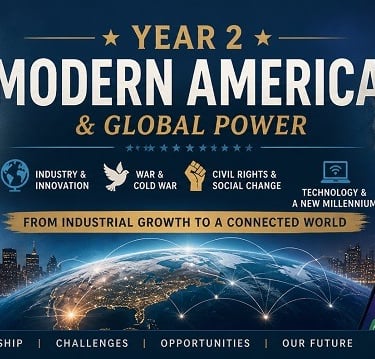
How I’m Using Khan Academy U.S. History Inside My Notion Homeschool Planner
I recently finished setting up our U.S. History course for the upcoming school year inside my Savvy Homeschooler planner, and I wanted to share exactly how I’m organizing it for both my 9th and 11th graders.
This particular course uses Khan Academy U.S. History: Modern America, but I’ve expanded it quite a bit beyond the standard lessons. One thing I’ve learned over the years is that my kids retain history better when it feels more visual, interactive, and connected to real experiences instead of just reading text and answering questions.
So while Khan Academy provides the core instruction, I’ve built an entire system around it inside my planner.
Turning Khan Academy Into a Full Homeschool Course
To create the lesson structure, I took screenshots of the Khan Academy units and lessons and uploaded them into ChatGPT. From there, I asked it to organize everything into units and lessons that could easily be placed into Google Sheets.
Once the lessons were organized, I imported them into my planner so that everything could be scheduled automatically.
This allows me to:
Quickly bulk upload lessons into Notion
Organize assignments month by month
Add projects, films, and games into the schedule
Track transcript credits for high school
Keep both students enrolled in the same group course
Because my 9th and 11th grader are taking the course together, I created it as a group course inside the planner. That means I only have to manage one history setup while still tracking both students individually.
Adding More Than Just Lessons
One thing I really wanted for this course was to break up the routine of traditional online learning.
Khan Academy does a great job with instruction, but I wanted my kids to have stronger visual and hands-on connections to the time periods they’re studying. So throughout the course I added:
History-themed games
Board game ideas
Movie clips and films
Guided project days
Creative assignments
Parent-led discussion activities
For example, during the Great Depression section, I included clips from Cinderella Man to help make that time period feel more real and personal.
I also added project work days throughout the year where students can complete larger creative assignments tied directly to the history lessons.
Guided Lessons Are One of My Favorite Features
One feature inside my planner that I personally rely on is the guided lesson filter.
Whenever a lesson requires parent involvement, discussion, project supervision, or extra teaching, I mark it as guided. Then inside the Parent Portal, I can instantly see every guided lesson coming up ahead of time.
This helps me plan my own schedule and make sure I’m available for the lessons that need more involvement instead of being surprised at the last minute.
As a homeschool parent managing multiple students, this has honestly been one of the most helpful organizational tools for me.
The End-of-Year History Project
At the end of the course, I wanted something more meaningful than just a final test.
Every year our family does a type of presentation and showcase where the kids display projects, art, music, and presentations for extended family members. So I created a final history project that fits into that experience.
For this course, students create a historical shadow box project where they:
Choose a historical image
Create layered artwork around it
Insert themselves into the scene
Write about the historical significance
Present the final piece as part of our homeschool showcase
I included:
Student instruction sheets
Project timelines
Rubrics
Grading guides
Multiple project options
I wanted the final project to feel creative, memorable, and personal rather than simply academic.
Using Google Sheets to Quickly Populate Lessons
One of the fastest workflows I use inside my planner is bulk lesson importing through Google Sheets.
Instead of manually typing every lesson into Notion, I:
Generate the lesson list in Google Sheets
Copy an entire column of lessons
Paste them directly into the course lesson rows
This saves an enormous amount of setup time, especially when organizing full-year high school courses.
Why I Built This System
I built this planner because I needed something that fit the way I actually homeschool.
I wanted:
Detailed organization
Flexible scheduling
Transcript tracking
Group courses
Parent oversight
Visual student portals
Guided lesson reminders
Easy lesson importing
Curriculum resource management
A system that could grow with multiple students
So much of homeschool planning either feels overly simple or overwhelmingly complicated. I wanted something that could truly function as a complete homeschool management system while still being customizable.
And because I’m actively using this planner myself with my own children, every part of it is designed from real homeschooling experience.
If you watched the video walkthrough, I hope it helped show how all the pieces connect together and maybe gave you ideas for organizing your own homeschool courses as well.
Contact
Newsletter
support@thesavvyhomeschooler.com
© 2024. All rights reserved.